A minimallauncher.
FRIDAY is a minimal launcher for Android. No feed and no red dots: today's agenda, a searchable app drawer and one line about what matters now.


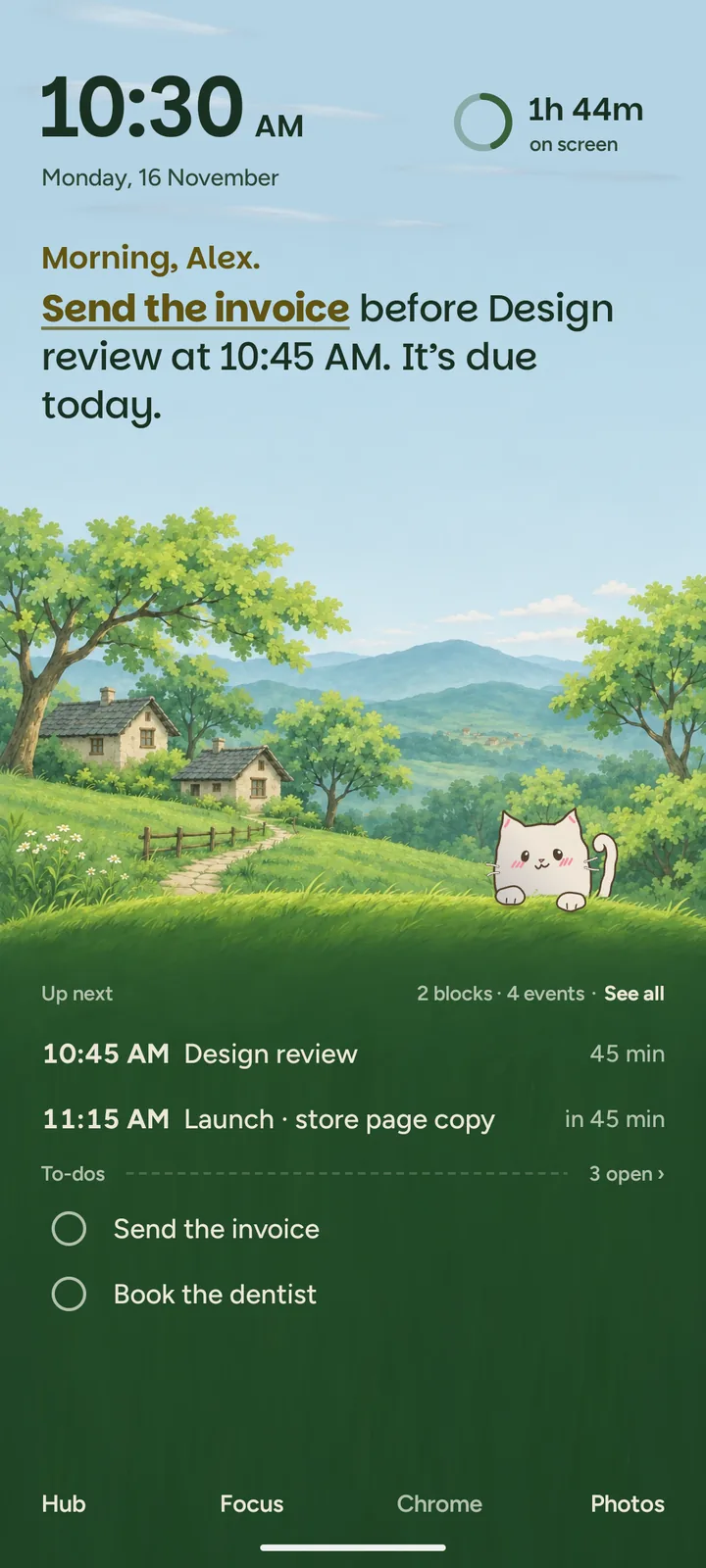
Morning, Alex. Send the invoice before Design review at 10:45 AM. It's due today.
Less on the screen. More in the day.
A home screen built to help you, not to keep you. It shows what matters now and stays out of the way.
7:00 AM
One line, where you look first.
Her line on the home screen says what matters now, and it changes when your day does. A to-do app cannot put it there, because it is not your home screen.
2:00 PM
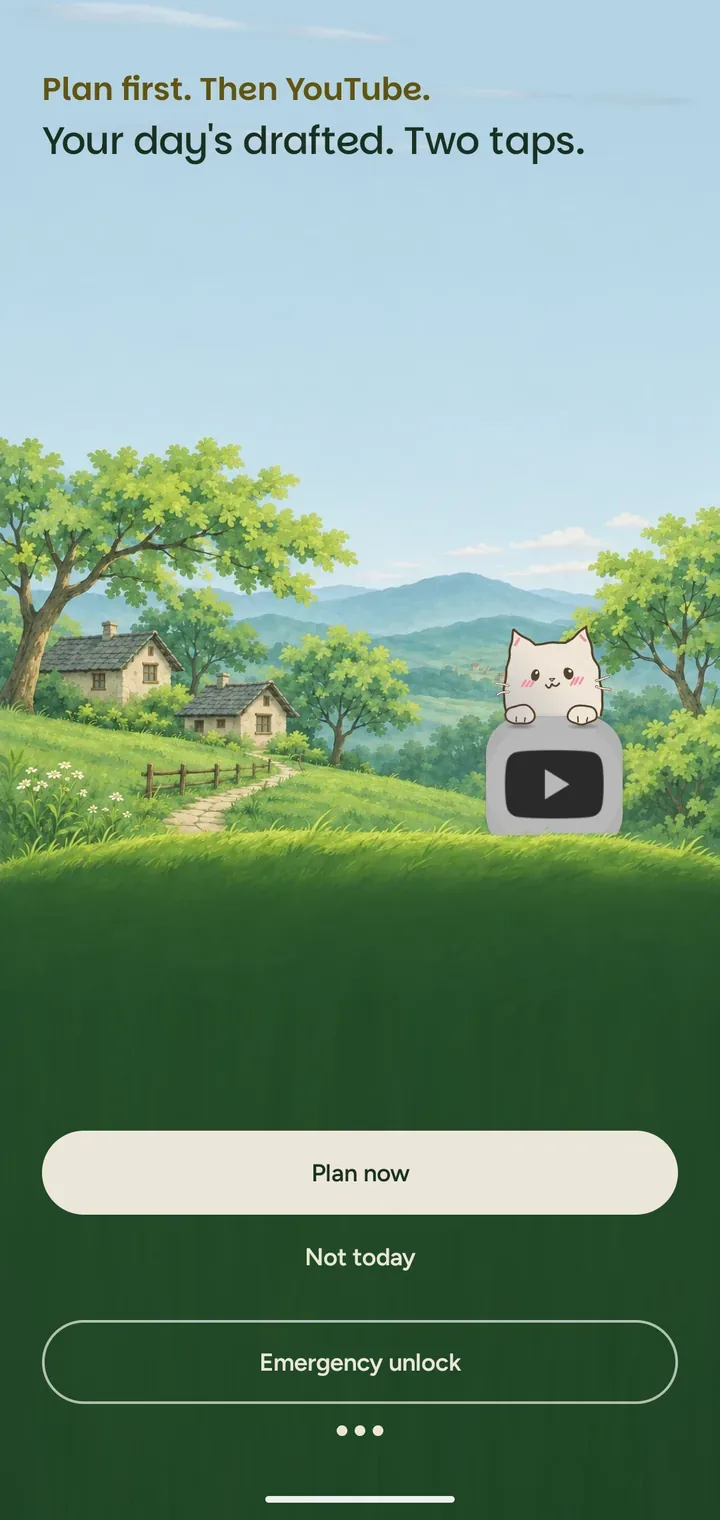
Less phone, on your terms.
Lock the apps that pull you away, on a schedule or right now. See your screen time for each app. All of it works without an account.
9:30 PM
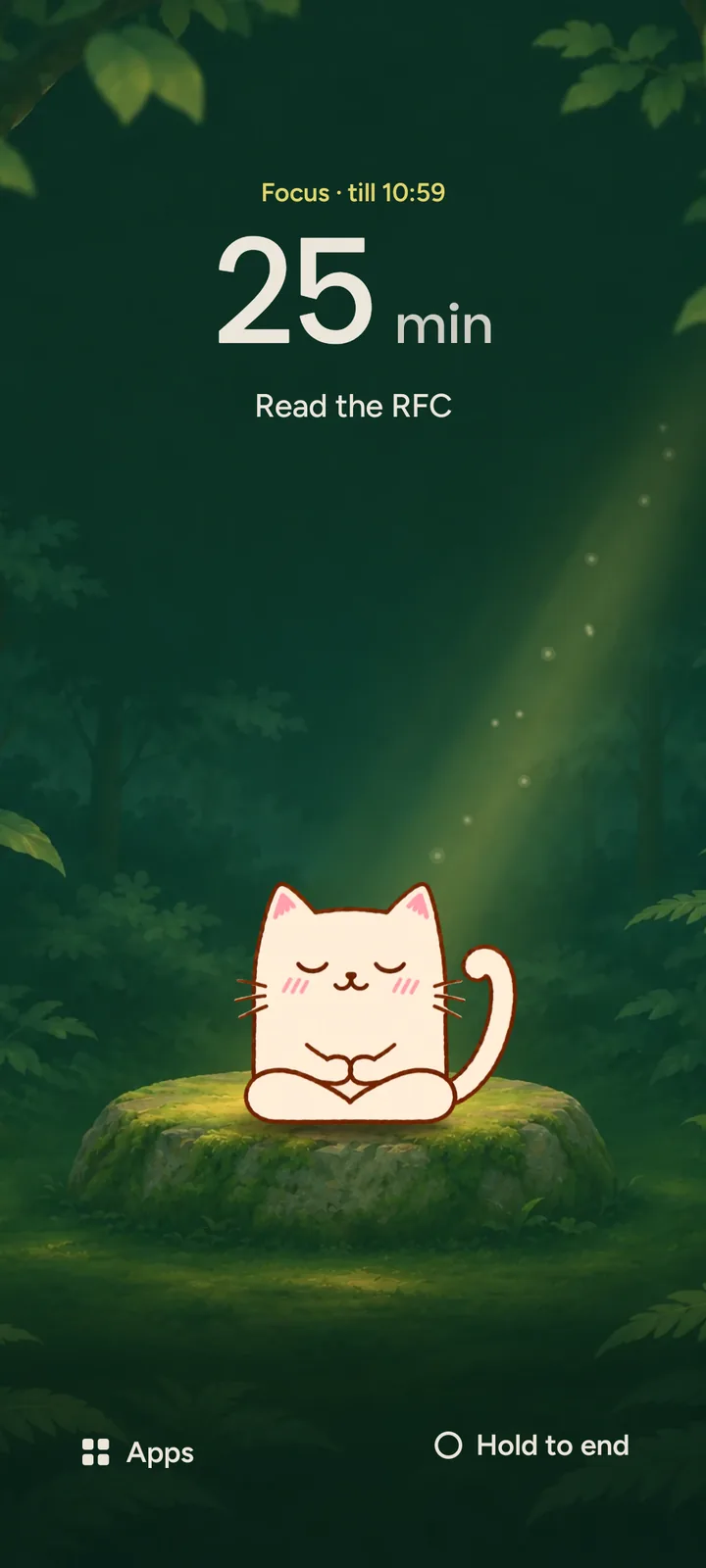
Focus from the home screen.
Start a focus session and keep only the apps you need. Search the app drawer for the one you came for. Double-tap empty space to lock the screen.

One Friday. Phone, tablet, web.
Your to-dos, goals, plan and chat are the same wherever you sign in. Screen time, locks and focus stay on the device they guard.
Sign in on the web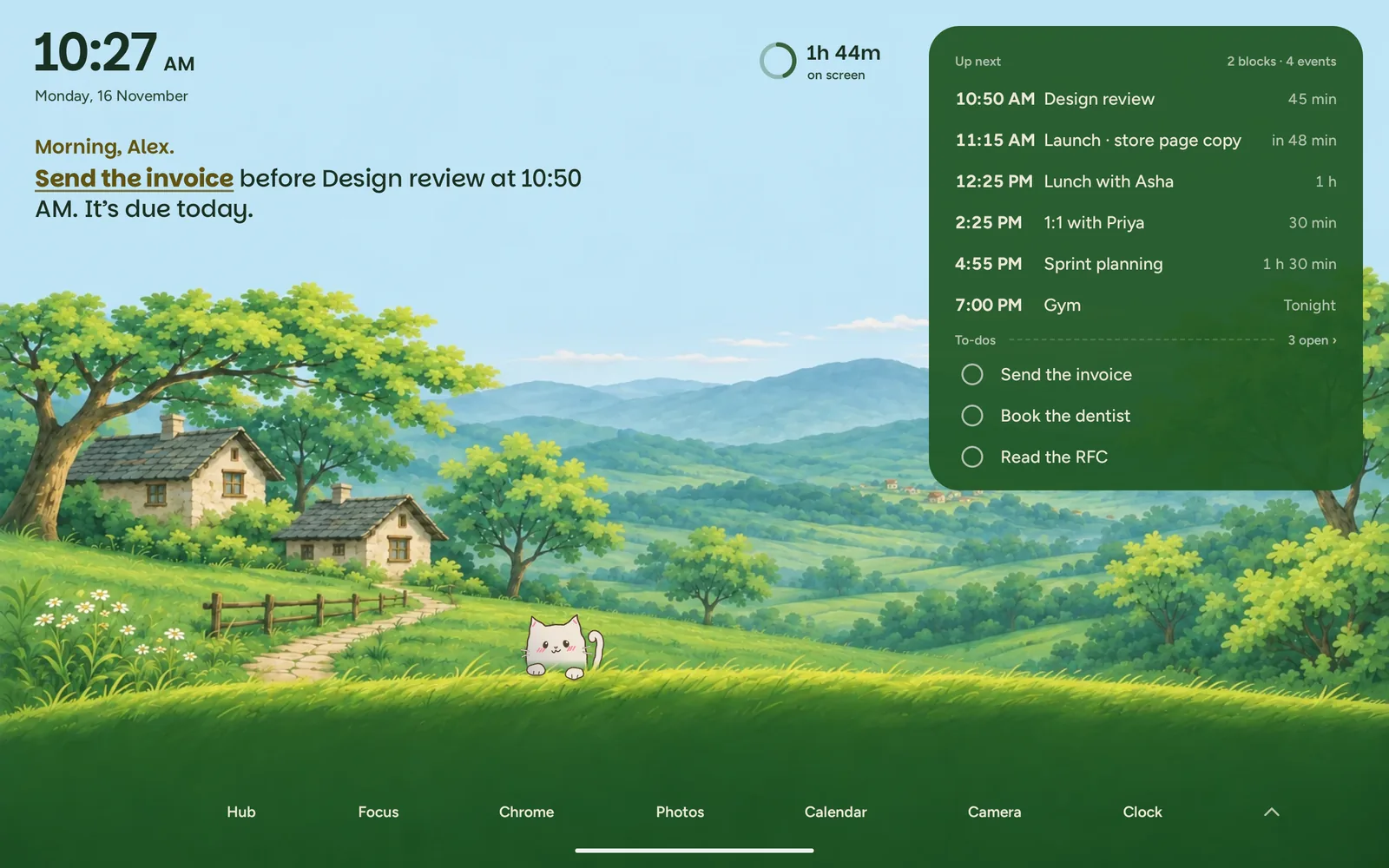
Tell Claude or ChatGPT. Friday keeps it.
Connect Friday to the AI app you already use. Ask what is left today, add a to-do or tick one off, right in the chat. It is on your home screen when you look.
Connect your AI appIn beta.
You, in Claude or ChatGPT
- What's left today?
- Add “Book the dentist” for today.
- How is my NeetCode goal going?
Your home screen
You said it there. I kept it here.
What your phone knows stays on your phone.
Read the privacy policy
- Screen time, your app list and your lock rules stay on your phone.
- No ads. No analytics. Nothing sold.
- Our server reads your calendar and does not store it. Friday adds only the blocks you confirm.
- Her words are written by AI (Anthropic's Claude). Code, not AI, does every sum.
- She remembers what you ask her to, and forgets it when you ask.
- Home, the app drawer, screen time, locks and focus work without an account.
- Delete your account and its data at any time.
Questions, answered plainly.
- How do I make FRIDAY my home screen?
- Install the app and open it. FRIDAY asks Android to make it your home app. Say yes, and the home button opens FRIDAY.
- Can I go back to my old launcher?
- Yes. Pick another home app in Android's settings at any time.
- Which phones does FRIDAY run on?
- Android 10 or newer, on phones and tablets. On a tablet the home spreads out beside the meadow.
- Does FRIDAY show ads?
- No. No ads, no analytics, nothing sold.
One Friday does all of it.