Friday, inside Claude and ChatGPT.
FRIDAY has a connector for AI apps. Add one address and sign in. Then your AI app can read your to-dos, habits and goals, and change them if you allow that.
 Connector address
https://friday.byvivek.com
In beta. Some plans of Claude and ChatGPT do not offer custom connectors.
You, in Claude or ChatGPT
- What's left today?
- Add “Book the dentist” for today.
- How is my NeetCode goal going?
Your home screen
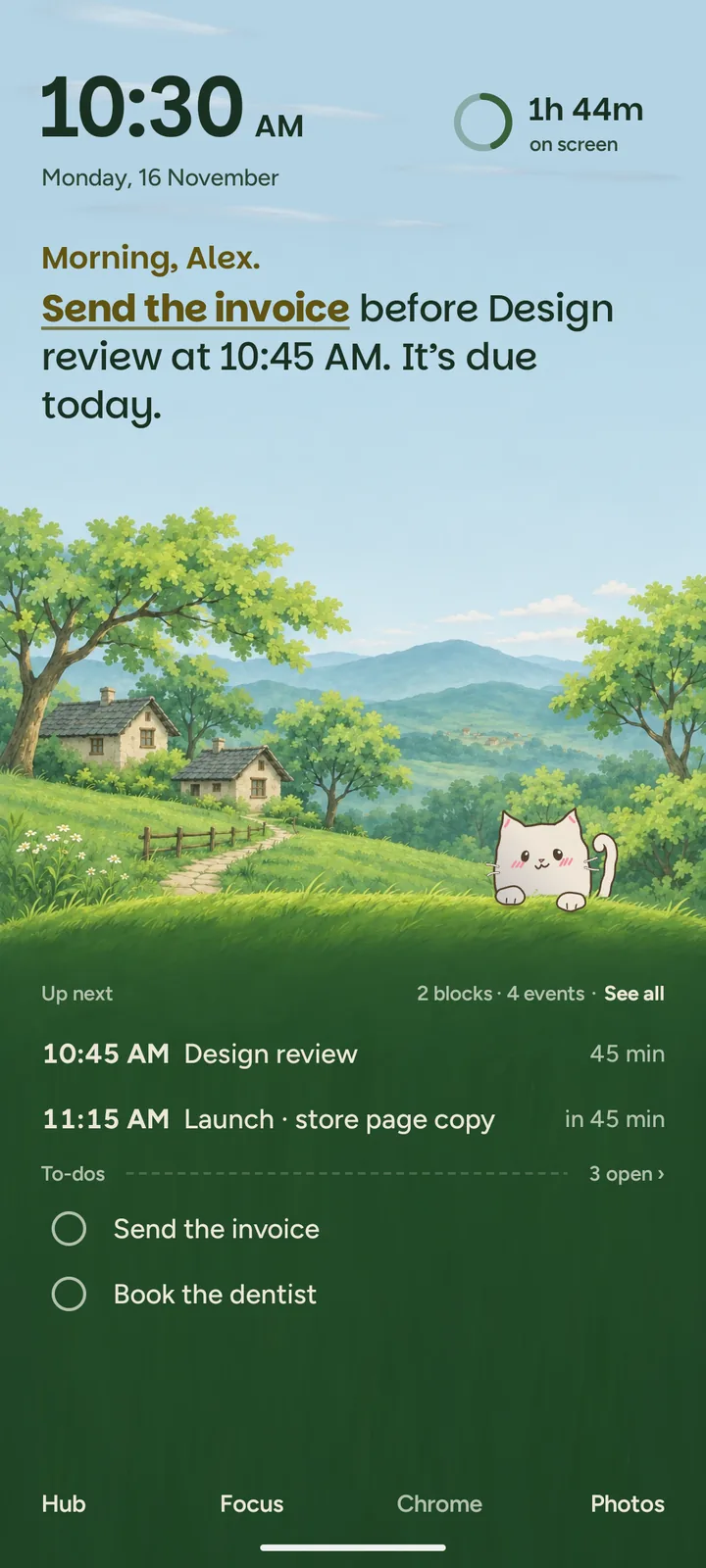
You said it there. I kept it here.
Three steps. No code.
Copy the address
It is the same for everyone. Your sign-in makes it yours.
Add it in your AI app
Add FRIDAY as a custom connector and paste the address.
- Claude
- Settings, Connectors, “Add custom connector”
- ChatGPT
- Settings, Plugins, the plus, “Add custom MCP server”
These menus change. Look for “connector” or “MCP server”.
Sign in and choose
Sign in to FRIDAY with Google. Choose “Read and change” or “Read only”, then press Allow.
You decide what it may do.
When you connect, choose “Read and change” or “Read only”. Not sure? Start with “Read only”. What your AI app reads goes to its maker, under their terms. Disconnect it in Settings at any time.
Read the privacy policyIt can
- Read your to-dos, habits and goals
- Add and change them, and tick off a to-do
- Delete a to-do or archive a goal (it can undo its own change)
It can never
- Read your Notebook, your chat or your screen time
- Change a day that has passed
Questions, answered plainly.
- What is the FRIDAY connector?
- It is how an AI app works with your FRIDAY account. It uses MCP (the Model Context Protocol), the standard that AI apps use to work with other services. Through it, your AI app reads your to-dos, habits and goals, and changes them if you allow that.
- Which AI apps does it work with?
- It works with Claude and ChatGPT, and it is in beta. You add FRIDAY as a custom connector, and some plans of those apps do not offer that. Gemini is not supported.
- What can my AI app see?
- Your to-dos, habits and goals, when it asks for them. FRIDAY never sends it your Notebook, your chat with Friday or your screen time. What it reads goes to its maker, under their terms.
- Can it change or delete things?
- Only if you choose “Read and change” when you connect. Then it can add and change to-dos and goals, tick off a to-do, delete a to-do and archive a goal. Your AI app can undo a change it made: ask it in the same chat. It can never change a day that has passed. With “Read only” it can only read.
- Do I need the Android app?
- No. You need a FRIDAY account: sign in with Google on the web or on the phone. With the app, a to-do you add in your AI app also shows on your home screen.
- How do I disconnect an app?
- Open Settings in FRIDAY on the web and find Connected apps. Press Disconnect beside the app. It stops working with your to-dos and goals at once.
- How do I get help?
- Email hello@byvivek.com. Say which AI app you use and what went wrong. Never send a password or a sign-in code.